• Quick note - the problem with Youtube videos not embedding on the forum appears to have been fixed, thanks to ZiprHead. If you do still see problems let me know.

The general hardware torture thread

Mine are all really cheap and range from 30 years old to about a year, I feel a completely irrational urge for a Pinecel, but having first soldered with an iron that was heated in a gas burner (it was very old when I used it, I'm not QUITE that old!) I struggle to see why it's a tool that needs an operating system!
 
As a teenager I once absentmindedly picked one up like a pen. Very briefly....

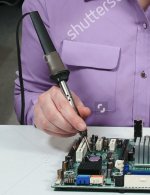
I did some research on the Internet. Here's how to hold a soldering iron.

FTR in a physics lesson, I once picked up the wire gauze on a tripod stand over a bunsen burner that I had only recently turned off. My fingerprints were unusual for some time after that.
 

Attachments

  • Screenshot 2023-09-17 at 09.53.16.jpg
    Screenshot 2023-09-17 at 09.53.16.jpg
    96.4 KB · Views: 31
I did some research on the Internet. Here's how to hold a soldering iron.

FTR in a physics lesson, I once picked up the wire gauze on a tripod stand over a bunsen burner that I had only recently turned off. My fingerprints were unusual for some time after that.


Reminds me of one of the basic laws of laboratory work: hot glass looks exactly the same as cold glass.
 
Doing Chemistry O-Level back in the day I learned a very important lesson about laboratory work: when doing mouth pipetting, make sure that both you and your lab partner are paying attention.

This is how I know what a mouthful of sodium hydroxide feels and tastes like.
 
Doing Chemistry O-Level back in the day I learned a very important lesson about laboratory work: when doing mouth pipetting, make sure that both you and your lab partner are paying attention.

This is how I know what a mouthful of sodium hydroxide feels and tastes like.

Lets spare a thought for Gerald,
For alas, he is, no more.
What he thought was aitch two oh,
Was aitch two ess oh four.
 
Doing Chemistry O-Level back in the day I learned a very important lesson about laboratory work: when doing mouth pipetting, make sure that both you and your lab partner are paying attention.

This is how I know what a mouthful of sodium hydroxide feels and tastes like.
Mouth pipettes at high school. What could possibly go wrong.
 
Mouth pipettes at high school. What could possibly go wrong.
In Leaving Cert chemistry (second half of secondary school) wewere taught to pipette by mouth and then never to do so.


In college I spent a week with one arm paper white (peroxide) and one yellow (permanganate). People didn't clean up after themselves.
 
Lets spare a thought for Gerald,
For alas, he is, no more.
What he thought was aitch two oh,
Was aitch two ess oh four.

My chemistry teacher taught me that one back in 1984 or so. I almost quoted it myself but I couldn't remember it perfectly. Thanks for the reminder!
 
My chemistry teacher taught me that one back in 1984 or so. I almost quoted it myself but I couldn't remember it perfectly. Thanks for the reminder!

I'm not at all sure that is the same as I first heard it, I had to make up the first two lines because memory had completely failed me.

Poking around in Google I can see a lot of modern versions, I'll have a look in Brewer's phrase and fable and see if I can find an original. (I doubt it, but worth a look).

Edited to add:

Hmm... I can find my original Brewer's, however it's not in Modern, or 20th Century. The latter does have an entry for H2S.
 
Last edited:
Tried to copy some files to my Pixel 6 from my Windows PC using a USB cable. Simple? No?


I granted access to my phone but the connection failed after trying to copy a file. Curiously, it copied the folder name. After about an hour, the solution was found. Connect the USB 3 cable to a USB 2 port. What could be simpler?
 
I like a keyboard with an integrated volume knob in the upper right area, near the keypad. But also certain other ergonomic, tactile, and auditory qualities. Finding one with all these features is difficult. My latest attempt has been a keyboard with everything I want except the volume knob.

So I ordered a USB volume knob online. But even this is a pain. The knob is much larger than it needs to be, taking up a lot of valuable real estate on my desk. And while the functioning is fine, the workmanship is shoddy. The knob's spindle is not perpendicular to the case, so it sits and rotates at an angle. Visually displeasing. The world is a vampire.
 
I've got the volume knob on the mouse. I love it. The Thumbwheel on the MX Master 3 by logitech works just the way I like. Except. There always has to be an exception. :( Edge has decided to hijack the mouse thumb wheel to be change tabs. It can be fixed, and I fixed it, but then it went back to the old way again. I don't use Edge much but sometimes you just need it.
 
I tried replacing the scratchy pot on my guitar with a new one but zero volume. Everything looked like it was wired up correctly. I tried using the multimeter to check the continuity between two of the tags on the pot. It said open circuit but suddenly the pickups could be heard. WTF.

The multimeter was acting as a conductor between the input and output.

I must have broken the pot when I clamped it so I could saw off the shaft. Next time, I clamped the shaft.
 
Hardware torturing me. Anyone any ideas why this happens?

Windows 11, had an update to the built in realtek audio device. Updated, no sound, rolled back, still no sound, removed device via system devices and a restart, no sound. Pulled tower system out from under the desk just in case by some weird coincidence the speaker connector had been pulled out at the same time, nope still in fine. Tried lots of different suggestions from the internet for a couple of hours. Absolutely no sound. Went to push the tower case back under the desk and thought I'll untangle some cables. Pulled out a few USB cables, pulled out the speaker cable, heard the usual crackle when pulling one out, sorted the cables out, pushed the speaker cable back in and the audio from the YouTube video I'd been using to test the audio started playing. Now you might think this was the weird coincidence I mentioned earlier, the plug not quite in, break in the cable or something at the same time I updated the driver. But no. I decided to then install the updated driver once more, and again no audio... Pulled the cable out and plugged it back in and it started playing. For some reason seems to need the cable to be pulled out before it starts to work again, never had anything like this before???

 
Last edited:
I've had an issue with a dodgy USB cables and\or devices stopping a PC booting a couple of times, I'm wondering if something similar was happening there.
Did you put all of the USB cables back and did you put them back in the same sockets?
 
No definitely not all put back in the same sockets. But that can't be it because I can duplicate the problem 100% now - uninstall the driver, install the new one, no audio, pull speaker plug out, push it back in and audio works again. And all this time Windows thinks audio is working fine - little equaliser showing movement and all that jazz.
 
Hardware torturing me. Anyone any ideas why this happens?

Windows 11, had an update to the built in realtek audio device. Updated, no sound, rolled back, still no sound, removed device via system devices and a restart, no sound. Pulled tower system out from under the desk just in case by some weird coincidence the speaker connector had been pulled out at the same time, nope still in fine. Tried lots of different suggestions from the internet for a couple of hours. Absolutely no sound. Went to push the tower case back under the desk and thought I'll untangle some cables. Pulled out a few USB cables, pulled out the speaker cable, heard the usual crackle when pulling one out, sorted the cables out, pushed the speaker cable back in and the audio from the YouTube video I'd been using to test the audio started playing. Now you might think this was the weird coincidence I mentioned earlier, the plug not quite in, break in the cable or something at the same time I updated the driver. But no. I decided to then install the updated driver once more, and again no audio... Pulled the cable out and plugged it back in and it started playing. For some reason seems to need the cable to be pulled out before it starts to work again, never had anything like this before???


I went to the dentist today to get a crown. They drill the hole, scan the hole with a 3D camera that fits into the mouth and send off the scan for the crown to be built. Finally a temporary crown is put in.


That's all good but it must have taken 30 minutes to do the scan. The 3D camera is an older model so it is relatively large and it can't see right into all the gaps at the back of my mouth because they can't fit it in. My mouth has to be kept open as much as possible.


They have to retry and then retry and retry. At the same time the dentist is complaining that the scanning machine displaying the image is getting slower and slower. The dental assistant says they sometimes they just have to power it off again. My jaw is aching by this time and keeps on aching. Finally the dentist gives in and turns the machine off and on again. They get the full scan of my teeth done and I can close my mouth.


Literal torture by hardware.
 
No definitely not all put back in the same sockets. But that can't be it because I can duplicate the problem 100% now - uninstall the driver, install the new one, no audio, pull speaker plug out, push it back in and audio works again. And all this time Windows thinks audio is working fine - little equaliser showing movement and all that jazz.

Somewhat obviously this is a problem with the updated driver. If you are having a problem maybe others are too. Try a bit of Googling to see.

As a WAG I would guess this is the problem that programmers will not leave things alone but continually revise programs to "improve" them even when they are working perfectly well. :(
 
Hardware torturing me. Anyone any ideas why this happens?

Windows 11, had an update to the built in realtek audio device. Updated, no sound, rolled back, still no sound, removed device via system devices and a restart, no sound. Pulled tower system out from under the desk just in case by some weird coincidence the speaker connector had been pulled out at the same time, nope still in fine. Tried lots of different suggestions from the internet for a couple of hours. Absolutely no sound. Went to push the tower case back under the desk and thought I'll untangle some cables. Pulled out a few USB cables, pulled out the speaker cable, heard the usual crackle when pulling one out, sorted the cables out, pushed the speaker cable back in and the audio from the YouTube video I'd been using to test the audio started playing. Now you might think this was the weird coincidence I mentioned earlier, the plug not quite in, break in the cable or something at the same time I updated the driver. But no. I decided to then install the updated driver once more, and again no audio... Pulled the cable out and plugged it back in and it started playing. For some reason seems to need the cable to be pulled out before it starts to work again, never had anything like this before???


That makes sense to me, honestly. Most audio drivers these days include a function to determine when something is plugged into an audio jack, and then asks what you plugged in (small speakers, large speakers, headphones, etc). If the driver was buggy enough, until something was plugged in and triggered the detection function, it might assume nothing was plugged in and divert audio to an HDMI or digital output. Then when you unplug and plug in speakers, it triggers the function to know something's plugged in and redirects audio properly.
 

Back
Top Bottom