Lothian
should be banned

Have stuck a Lan cable from a splitter I have attached to the WiFi extender and am getting 70+MB/s. I would have preferred to use WiFi but it seems wires might be the way to go.



Ah ha. Is your PC case metal? And do you have an external aerial for that? Might be that the wireless card is getting Faraday'd.Intel(R) Dual band wireless-AC 3160
Built in.
What's the point of buying a PC, instead of a laptop or tablet, if it doesn't have a high speed ethernet port?Does your computer actually have an ethernet port? Because the last couple we've bought did not.
Good test. Means your PC likely has zero network problems, and the issue is limited to just the wifi situation on that PC.Have stuck a Lan cable from a splitter I have attached to the WiFi extender and am getting 70+MB/s. I would have preferred to use WiFi but it seems wires might be the way to go.
Wifi problems are the opposite of zero network problems. They're more like mega network problems.Good test. Means your PC likely has zero network problems, and the issue is limited to just the wifi situation on that PC.
Heh! OK, I'll be more specific: Wifi HARDWARE CONFIGURATION.Wifi problems are the opposite of zero network problems. They're more like mega network problems.
I call shenanigans. Nobody buying consumer computer equipment needs to know or care about hardware configs. Your paradigm is almost 20 years out of date.Heh! OK, I'll be more specific: Wifi HARDWARE CONFIGURATION.
Until stuff stops working. That's why us greybeard COBOL guys can still earn a living.I call shenanigans. Nobody buying consumer computer equipment needs to know or care about hardware configs. Your paradigm is almost 20 years out of date.

There's no cobol in modern consumer computer network solutions.Until stuff stops working. That's why us greybeard COBOL guys can still earn a living.
The correct response should have been "OK, Boomer".There's no cobol in modern consumer computer network solutions.
It's no accident that you've failed to offer a cobol solution to the OP's problem.
And you would be surprised what software systems still run COBOL today. Dude, we INVENTED them! 

What's the point of buying a PC, instead of a laptop or tablet, if it doesn't have a high speed ethernet port?

Good point. But power settings don't slow down wifi, they disable it periodically. Do a network refresh (or manual disconnect/reconnect, or a power restart) and it comes back hot and strong. As you say, proper fix is setting "power always on".Power settings - I've seen desktop PCs running as if they are on "power saving" settings designed for a laptop on battery power.
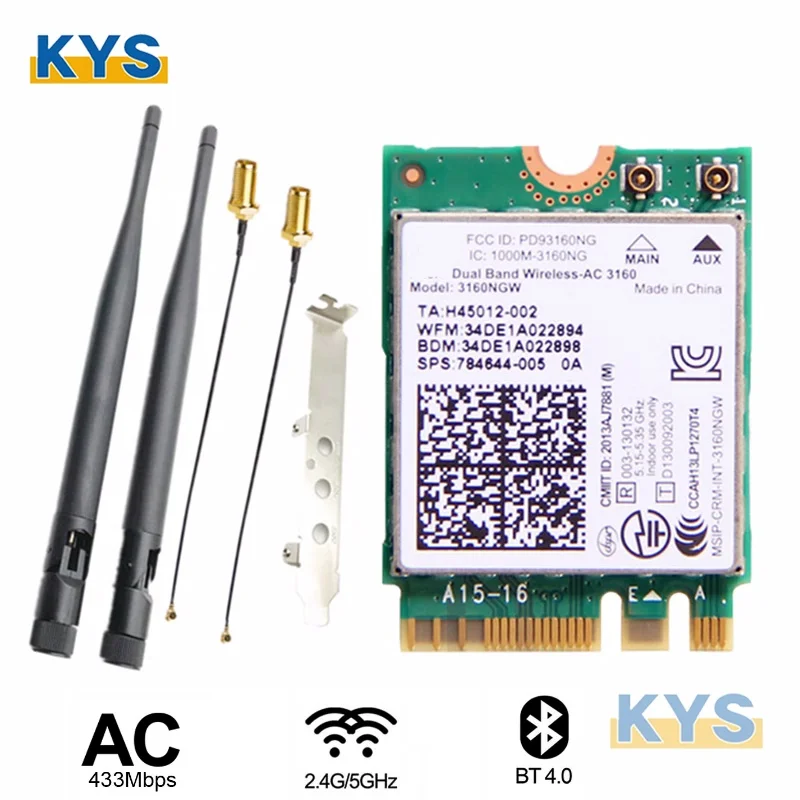
Lothian, can I check if you have the complete wifi kit with components that look like this? The important parts I'm checking are the rabbit-ear antennas, small cables and the PCI end plate. I suspect these appear to be installed.Back on track, his problem appears to be the inbuilt wireless card. It seems to be a weak signal problem, not software, because it still connects OK but is just very slow. An added info point is the inordinately rapid drop-off in signal strength the further from the WAP. It sounds like inadvertent shielding, a problem we often dealt with using modern PCs in hospital operating theatres (which are built as Faraday cages for X-rays).
Bit messy but there are 3 antennaLothian, can I check if you have the complete wifi kit with components that look like this? The important parts I'm checking are the rabbit-ear antennas, small cables and the PCI end p


